Subscribe For Free Updates!

We'll not spam mate! We promise.

Showing posts with label Internet Tips. Show all posts

Thursday, November 13, 2014

Advanced Google Search Techniques

tescoideas.com
Have you ever had disappointing results from a Google search? I guess YES...Spare some time to read about the "advanced Google search techniques" right now and forget all your worries. These advanced techniques can significantly improve your chances of discovering what you need on the web.

The search techniques given below will sure enhance your Google search experience.


            Advanced Google Search Techniques

  • To exclude a search term from the results, just put a minus sign (-) in front of that particular search term. If you are searching for "best smartphones" and don't need any results about "android", then you can have your search query to be without android
                   Example: Best smartphones -android
  • To search for variations of a keyword, just use ~ in front of your keyword. 
                   Example: ~Telephone 

  • If you want to find sites that has a link pointing to your website, use link: in front of your site link.

                   Example: link:tescoideas.com
  • If you want to avoid synonyms from appearing in your search results, use double quotes around the search term. 
                   Example: "Nokia smartphone"

  • By using OR between two search terms, you can search for results that may include either one of those words. Note that the OR has to be in capital letters.

                Example: Olympics 2013 OR 2015
  • To find a website with similar content to your site, use related: in front of your site url.

                 Example: related: tescoideas.com
  • If you want a specific file in desired file format, use “filetype”: followed by your file format after your keyword.

              Example: Sherlock holmes filetype:pdf You can search for other formats too.
  • If you want a search result in which your keyword will appear in the content of the web page, use allintext: in front of your keyword. 

                    Example: allintext:Nokia pureview
  • If you want search results in which your keyword will appear in the title of the webpage, use allintitle: before your keyword.

                    Example: allintitle:health tips
  • If you would like to search for pages with your keywords in the url, put inurl: before your search word.

                    Example: inurl:nutrition
  • If a website is temporarily down, you can still visit it's cached version by google. Use Type cache: followed by the website url in the search box.

                    Example: cache:tescoideas.com
  • Search the stock rate of any company by typing stocks: followed by the company name.

                    Example: stocks:Apple
  • If you need information about any website, use info: followed by the url.

                   Example: info:ask.com
  • Want a direct definition of any word? put define: just before your word.

                   Example: define:calculator
  • If you want to know Google indexed pages of a particular website, type site: followed by the site url.

                   Example: site:tescoideas.com
  • If you would like to exclude a website from search results, use -site: followed by the site url. 

                    Example: css tutorial -site:w3schools.com
  • If you want results for your search term from a specific website, use site: followed by the site url.


                    Example: iphone site:tescoideas.com

Using these operators can save your precious time and improve your skills in searching. You may try bookmarking this page for quick reference later. 

Dont forget to LIKE, Share, Comment and Subscribe.


Have a Nice time!!!


Sunday, March 23, 2014

Basic Internet Terms and Terminology

Internet, a network of networks and an enormous information base is a complex structure of physical and logical entities. Here is a look at the basic Internet terms and the Internet terminology. Read on...

Internet, by definition is a network of networks that interact with each other through exchange of data packets. The Internet hosts an enormous information base and carries numerous information resources and services. Here is a look at the buzzwords of the world of Internet.


LIST OF INTERNET TERMINOLOGY

Internet Terminology - The Structure and Design of the Internet
Here is a list of the terms associated with the structure and design of the Internet. You may want to take a quick look at the basic of Internet technology before going ahead.
  • ARPANET: The acronym stands for Advanced Research Projects Agency Network. ARPA of the United States Department of Defense developed ARPANET, which became the world's first packet switching network. Internet is the successor of ARPANET.
  • Internet Service Provider: A company, which provides users with an access to the Internet, is known as an Internet service provider or Internet access provider. ISP, as it is called, offers email accounts and other services like remote storage of files for its customers.
  • OSI Model: The Open System Interconnection Model is used to describe a layered communication and network protocol design of a network. It is composed of seven layers, each of which performs certain functions and provides the layers above it with some services.
  • Internet Protocol Suite: It is a set of communication protocols, which are used for the Internet. Transmission Control Protocol (TCP) and Internet Protocol (IP) were the two pioneering protocols to be introduced in the Internet protocol standard. The Internet protocol suite is composed of a set of layers wherein; each layer provides a service to the upper layers in the set. The upper layers deal with abstract data while the lower layer protocols translate data into physically transmittable forms.
  • PPP: Point-to-Point protocol (PPP) is a data link protocol that facilitates the establishment of a direct connection between two nodes on a network.
  • IP Address: It is a way of numerically identifying an entity on a computer network. The original addressing system known as IPv4, used 32 bit addresses. With the growth of the Internet, IPv6 came to be used wherein the addresses are composed of 128 bits. You might want to know how to find your IP address.
  • MAC Address: Media Access Control address (MAC) is the physical hexadecimal address assigned to each device on a network. 
  • Domain Name System: DNS, as it is called, refers to the hierarchical naming system used for computers, resources and services on the Internet. It translates the computer hostnames to IP addresses. By way of the implementation of DNS, the domain name 'www.buzzle.com' translates to its IP address, say, 208.70.178.150. With the help of DNS, domain names can be assigned to Internet users.
  • Cyberspace: This term coined by William Gibson, is used to refer to the computer networks connected to each other and the content they host. It is often used to refer to the Internet.
  • WWW: It is a collection of interlinked documents that are accessible over the Internet. It consists of millions of web pages that contain text, images, voice and videos. Sir Tim Berners-Lee, a British scientist working at CERN, created the World Wide Web.
  • W3C: It is the acronym used for the World Wide Web Consortium, which develops standards for the web community.
  • Website: A website is a set of web pages consisting of text, audio and video. Web servers host websites.
  • URL: It specifies the location of a resource on the Internet. It consists of the basic address and path.
  • Web Page: Web pages are resources of information. They are generally created in the HTML format and provide the web users with navigational abilities through hyperlinks to other web pages on the web.
  • Home Page: The term home page is used to refer to the page that is the default page of any website. It is the main page of a complex website.
  • Proxy Server: Client machines on a network connect to the proxy server, which forwards the client requests to other servers and returns responses to the clients.
  • Web Server: A web server is a computer program that accepts HTTP requests from web clients and provides them with HTTP responses.
  • Web Browser: A web browser is a software application that facilitates user interaction with the text, audio, video and other information that is located on the web. 
  • Cache: Web browsers maintain a cache of recently visited web pages. Some of them use an external proxy web cache, which is a server program through which web requests pass. This enables the browsers to cache frequently visited pages. Even search engines make available already indexed web pages through their caches.
  • HTTP: Hypertext Transfer Protocol, abbreviated as HTTP, is a communications protocol used for the transfer of information over the Internet. A client makes an HTTP request using a web browser to which an HTTP response is sent from the server.
  • Web Cookie: Also known as an HTTP cookie, it is piece of text that is exchanged between the web client and the web server. It is sent by the web server to the web client and returned unchanged by the client each time it accesses the server. You might want to know how do websites use cookies?
  • Session: It is an exchange of information between a computer and its user. It is established for a certain period of time after which it ends.
  • Hyperlink: A reference in a document to another section of the document or to another document is termed as a hyperlink. Hyperlinks are used to redirect the user from one section of a page content to another.
  • Web 2.0: It is used to describe the changes in the www technology and web design. The term deals with the idea of the development of interactivity and connectivity of the web content. 
  • Internet security: It is one of the major concerns today. As the Internet acts as a communication platform that can be accessed by millions of users around the world, it becomes necessary that proper measures be implemented. Issues like Internet safety that deal with the content that is made accessible over the Internet are equally important. Internet privacy relates to safeguarding the privacy of the web users and the sensitive information on the web from hackers and stalkers.

INTERNET - A COMMUNICATION PLATFORM


Internet serves as one of the most efficient means of communication. Computers from different parts of the world can be connected to each other to exchange information, thanks to the Internet. Emails and chats are excellent means of communication over the Internet. Blogs and online forums give the Internet users a platform to reach out to the masses. Here is a list of the basic Internet terms associated with the Internet as a communication platform.

Email: It is a store-and-forward method of writing, sending and receiving written messages. Electronic mail is an Internet e-mail system that uses network-based protocols to exchange messages between network subsystems.

Email Address: It identifies the network location to which an email can be delivered. An email address is a combination of the user name of the mail user and the host name of the mailing system. It is of the form, 'username@domain-name'. An email alias is a forwarding email address. It simply forwards emails to specific email addresses.

Spamming: The act of sending unsolicited bulk messages over an email system is known as spamming. It is an undesirable use of the electronic messaging systems.

Phishing: It is a fraudulent activity of acquiring the sensitive information by the use of a fake identity during electronic communication. It is implemented by means of emails and instant messages wherein a user is lured to enter his/her details, which are actually captured by a fraudulent website.

Hacking: Hacking is the activity of programmatically gaining access to a computer application that is otherwise inaccessible. The act of gaining an unauthorized access to a computer is known as hacking. Hacking of passwords that leads to breach of email privacy is a threat to communication over the Internet. Internet crime refers to all the criminal activities that are carried over the Internet.

Email Scams: With the increase in the use of email systems, its security needs also rose. Fraudulent users started tampering with the email systems to breach security.

Email Virus: It is a computer code that is transmitted through an email in the form of an attachment. The email attachment causes the destruction of some of the files on the receiver computer's hard disk and is programmatically emailed to the contacts in the address book of the receiver.

Email Client: It is also known as a mail user agent (MUA). An email client is a front-end computer program or an agent that acts as a client for the email server.

Mail Server: It can also be called Mail Transfer Agent (MTA) and is responsible for receiving incoming email from local users and forwarding outgoing mails for delivery. A mail server application forms the heart of a messaging system that performs all the functions to keep the mails moving over the network.

SMTP: Short for Simple Mail Transfer Protocol, SMTP is the standard for the transmission of electronic mails. The electronic mail server software uses SMTP to send and receive mail messages. ESMTP, that is known as extended or enhanced SMTP refers to the protocol extensions made to SMTP and is widely used today.

POP3: Short for Post Office Protocol, POP3 is an application layer Internet standard protocol. It is used to retrieve mails from a remote server.

IMAP: Internet Message Access Protocol, as it is called, is another Internet standard protocol used for retrieval of emails.

Internet Chat: It is a real-time Internet chat or synchronous conferencing that is used for group communication as well as one-to-one communication over the Internet. Jarkko Oikarinen, a Ph.D. from the University of Oulu is the developer of the first Internet chat network. He developed the client and server programs for Internet Relay Chat in August 1988.

Social Networking: Social networking is about building online communities of like-minded people. Serving as an excellent platform for sharing of information, social networking is a rage today.

ADSL: Asymmetric Digital Subscriber Line, abbreviated as ADSL, is used for the transmission of digital information using high bandwidths on existing phone lines. ADSL technology is characterized by high download and low upload rates.

Dial-up: It is the means to connect to the Internet using the copper phone lines and a modem. Dial-up connections are capable of sending information from the client's end at very slow speeds of about 56kbps.

Modem: It is a device that modulates analog carrier signals to encode digital information and demodulates carrier signals to decode information. A cable modem provides access to data signals sent over the cable television infrastructure. Modems are commonly used for facilitating Internet access.

Communication Bandwidth: It refers to the data that can be transferred between two points in a given period of time. It is expressed in terms of bits per second. It is commonly known as the bit rate.

Blogs: Blogs are the expressions of the common masses about social or political issues or simply anything. Blogs can often be in the form of creative write-ups by writers in different parts of the world.

Internet Forums: It is a bulletin board that serves as a platform for group discussion. Registered users are free to contribute to the issues raised in forums thus making them open discussion platforms.

Usenet: Usenet can be considered as a worldwide bulletin board. Usenet newsgroups serve as a repository of messages posted from users around the world.

INTERNET - A SEARCH PLATFORM

Internet that hosts an ocean of information has also become an excellent platform for information retrieval. The Internet search engines, which crawl and index web pages, organize the information on the Internet and the web directories link to information on the network. Here is a list of the Internet terms related to the Internet as a search platform.
  • Internet Search Engine: It is an information retrieval system that is designed to help find information over the Internet. Search engines use algorithms to scan the huge information base of the Internet and sort it making it retrievable for the web users. 
  • Web Crawler: Popularly known as a spider, a web crawler is a program that browses the World Wide Web in an automated manner. Search engines use the crawling technologies to index pages on the web.
  • Search Engine Optimization: The process of organizing the content of a website with intent to increase its relevance with respect to keywords and search engines. The process of optimization involves editing website content and HTML coding to support search engine strategies of ranking and indexing. 
  • Internet Bookmark: The Internet browsers of the modern times aim at enabling the users to organize the web pages they access. Links once visited can be saved in the favorites or preferences categories. Bookmarks are usually integrated into browsers. Social bookmarking is a method used by Internet users to store and manage web pages.
  • Web Directories: It is a directory, which links to other websites and organizes those links. They should not be mistaken as being search engines.

OTHER TERMS

Router: A router connects two or more logical subnets and performs the functions of routing and forwarding information.

Intranet: It is a relatively smaller private network that uses the Internet protocols and connectivity. It is an extension of the Internet and is privately used by organizations.

Extranet: It is a private network that uses Internet technology to share a part of the business information and operations with suppliers and customers. It can be a part of a company's intranet that provides access to the users outside the company.

Virtual Private Network: It is a private network that allows the exchange of information between computers over a shared or a public network.

Wireless Networking: It refers to computer networking that is carried out over the wireless media.

Broadband Internet: Broadband connectivity to the Internet provides the users with a high-speed Internet access.

Dial-up Internet: In this type of access to the Internet, the user's computer is attached to a modem connected to a telephone line. Dial-up Internet access involves a modem that dials into an Internet service provider to establish a connection.

Satellite Internet: Internet services that make use of the satellite communication media are termed as satellite Internet services. They are used in locations that are mobile thus making terrestrial Internet connectivity, an impossibility.

SOME FUNNY AND INTERESTING INTERNET TERMS

  • Googling: The Google search engine, being the most popularly used one, has made the word, 'google' synonymous to the concept of search engines. Searching the Internet by using the Google search engine is known as googling.
  • Copypasta: If text is copy pasted from somewhere and posted in a forum, it is termed as a copypasta. The source is often unknown in such cases.
  • Egosurfer: The web users who search over the Internet for themselves fall under the class of egosurfers. I am sure most of you play an egosurfer once in a while.
  • Netiquette: This term is short for net etiquette and refers to the principles of courtesy and consideration for the people using the Internet. It refers to certain basic principles to adhere to while using the Internet. The general ethical principles to be followed in relation to using mailing systems of the Internet are termed as email etiquette.
  • Trasher: The users who search over the Internet using all possible means, sometimes even risking the Internet security are known as trashers.
  • Troll: Trolls are the users who try to become infamous on chat by introducing disturbing links, mimicking other users' posts and profiles and fighting with others.
  • Youtuber: A person who is addicted to watching videos on the Internet is referred to as a youtuber.

This was an overview of the basic Internet terms and terminology. I am sure an understanding of the basic Internet terminology has served as a value addition to your knowledge pool. Hasn't it?


Sunday, January 5, 2014

Keyboard Shortcuts You Probably Dont Know

Most expert computer users know the basic keyboard shortcuts, like pressing Control (Ctrl) + P on a PC to print a document. But did you know there are plenty of other useful—not to mention pretty darn cool—key combinations out there? From instantly zooming in to a larger view to quickly closing your browser window, these shortcuts will put the World Wide Web and more at your fingertips—because every second counts.

1. Add a Bookmark

Tab your new favorite website for easy access by bookmarking the page with the following quick trick.
  • PC: Ctrl + D
  • Mac: Apple key (see right) + D


Wednesday, January 1, 2014

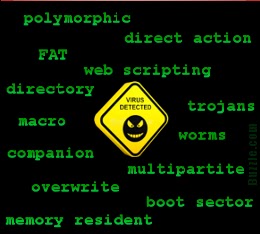
Types of Computer Virus and How to Get Rid of Them

What is a Computer Virus?

Computer virus is a computer software program written with malicious aims. There are tons of computer viruses that can obstruct the working of your computer system.

Computer virus is a harmful computer software program that are being written purposely to enter a computer without the user's consent or knowledge. It has the ability to recreate itself, hence continuing to spread into the booting sector of the computer. Some virus do little but recreate, while others can cause severe damage or adversely affect the program and performance of the system. A virus should never be assumed harmless or safe and left on a system. Now let's take a look at the different types of computer virus.

Monday, December 30, 2013

Some Basic Computer Terminologies


Here are a few terms you'll run into:
Application Files
Program files environment where you can create and edit the kind of document that application makes.

Click
To select an object by pressing the mouse button when the cursor is pointing to the required menu option, icon or hypertext link.

Close
To close a window that has been opened for viewing and / or editing.

Saturday, December 28, 2013

How To Use Basic Networking Commands

 1 - ipconfig :
This is the top most command for seeing the ip address, subnet mask and default gateway also includes display and flush DNS cache, re-register the system name in DNS.. This is a  useful tool for viewing and troubleshooting TCP/IP problem.

Thursday, December 26, 2013

How To Bypass NO RIGHT CLICK features on Any Website

You might had an experience where you tried to right-click on a web page but got a pop-up message saying that the “right-click functionality has been disabled”. Sometimes you may be trying to copy an image or view the source of a web page but when the right-click is disabled, these things would seem impossible. Bank websites and other sites that require a secure transaction such as a payment gateway are the ones to impose this kind of limited functionality on their pages. In this post, I will show you the ways by which you can easily bypass right-click block feature on any website.

Tuesday, December 24, 2013

Free Conversion Tools

Are you Looking for conversion tools ? Here is a list of top free online conversion tools based on my own opinion..


Saturday, December 21, 2013

How To Enable/Disable Toast Notifications on Windows 8

Toast NotificationWindows 8 is among the most incredible and interesting kind of Windows version from Microsoft. It has visually eye catching design, which is found in modern user interface that is meant for redesigning a number of operating systems, worked out for users. If you have used or seen someone using Windows 8 you could have noticed the toast notifications in this modern version of windows, which simply appears the moment you install or uninstall any application. There are many users who are well versed with the bubble notifications, which were found in the earlier versions of Windows seen via the taskbar. The new application platform in Windows 8 comes with an integrated notification system for installing or uninstalling a number of modern applications.

Wednesday, December 18, 2013

Facebook Messenger gets New Stickers; including a Dislike

Facebook has launched new stickers for users of the Facebook Messenger app on the web, iOS and Android, which now features more gestures based on the "Like" sticker.
Users can add the new 'Like' stickers to the Messenger app or chat window on the web through the Sticker Store. The sticker set known as 'Likes' is available immediately and comes at no cost.

Tuesday, December 17, 2013

5 Great Alternatives to Adobe Photoshop

Photoshop is claimed to be the most popular image editing software since it enables advanced features for professional uses. You can learn different tricks tutorials for Photoshop now is used in a variety of image editing uses like Logo Creation, Template designs, Picture retouching and Photography makeups. Here is a list of the 5 Best Alternatives to Photoshop (some are websites, and some other are software).

Sunday, December 15, 2013

How To Code For Free Online

Are you looking for something new to learn, or just want to refresh your memory on something that might be a bit rusty, there are plenty of free sources online that you can take advantage of free code classes. According to the U.S. Bureau of Labor Statistics, the outlook is quite favorable for software developers:

Friday, December 13, 2013

Top 25 People Who Changed the Internet

1. Sir Tim Berners-Lee – World Wide Web

2. Vint Cerf And Bob Kahn – TCP/IP


3. Larry Page and Sergey Brin – Google Inc.


4. David Filo and Jerry Yang – Yahoo! Inc.


Tuesday, December 10, 2013

AWESOME COMPUTER FACTS

Computers have come a long way since they were invented. Today, they are being used almost everywhere. Let us find out about some awesome computer facts, and get ourselves amazed.

I think each and every one of us must know about the evolution of computers. It is one of the most useful machines ever created by us humans (Artificial Intelligence). The invention of the computer was just the beginning of the ever-increasing thirst for knowledge. I guess, even the inventor of the computer mustn't have realized the potential that this machine would have. Today, almost all of our work is done by some or the other computing machine. Computers are enhancing technological growth at a rapid rate. Nevertheless, how much ever we know about this super machine, is less. Listed below are a few of the little known computer facts.

Sunday, December 8, 2013

Amazing Image Editors

Would you like to make funny image editing? Here, I present you some free online tools and software that will help you to make cool image editing.

1)FotoSketcher 1.97

FotoSketcher 1.97 is a free application that will help you to transform a simple image into an astonishing work of art even without the knowledge and talent.

Friday, December 6, 2013

What is Freeware – What is not?

Wikipedia defines freeware thus: Freeware (portmanteau of “free” and “software”) is software that is available for use at no monetary cost or for an optional fee, but usually (although not necessarily) closed source with one or more restricted usage rights.
My own definition is as follows: Software (generally closed source) which can be downloaded and used completely free of charge and without limitations.

Thursday, December 5, 2013

Facebook And Google Are Kings Of Social Logins

We’ve all seen the sites out there where you can log in using one of your social media profiles. Log in with Facebook… or log in with Google. Or some other service.
Do you ever use it?